Skip to content

Technology

Veeam backup and recovery

Subnet designs, installs and looks after Veeam backup for South Australian organisations: servers and virtual machines, Microsoft 365, and the tamper-proof copies that make recovery possible after a ransomware attack.

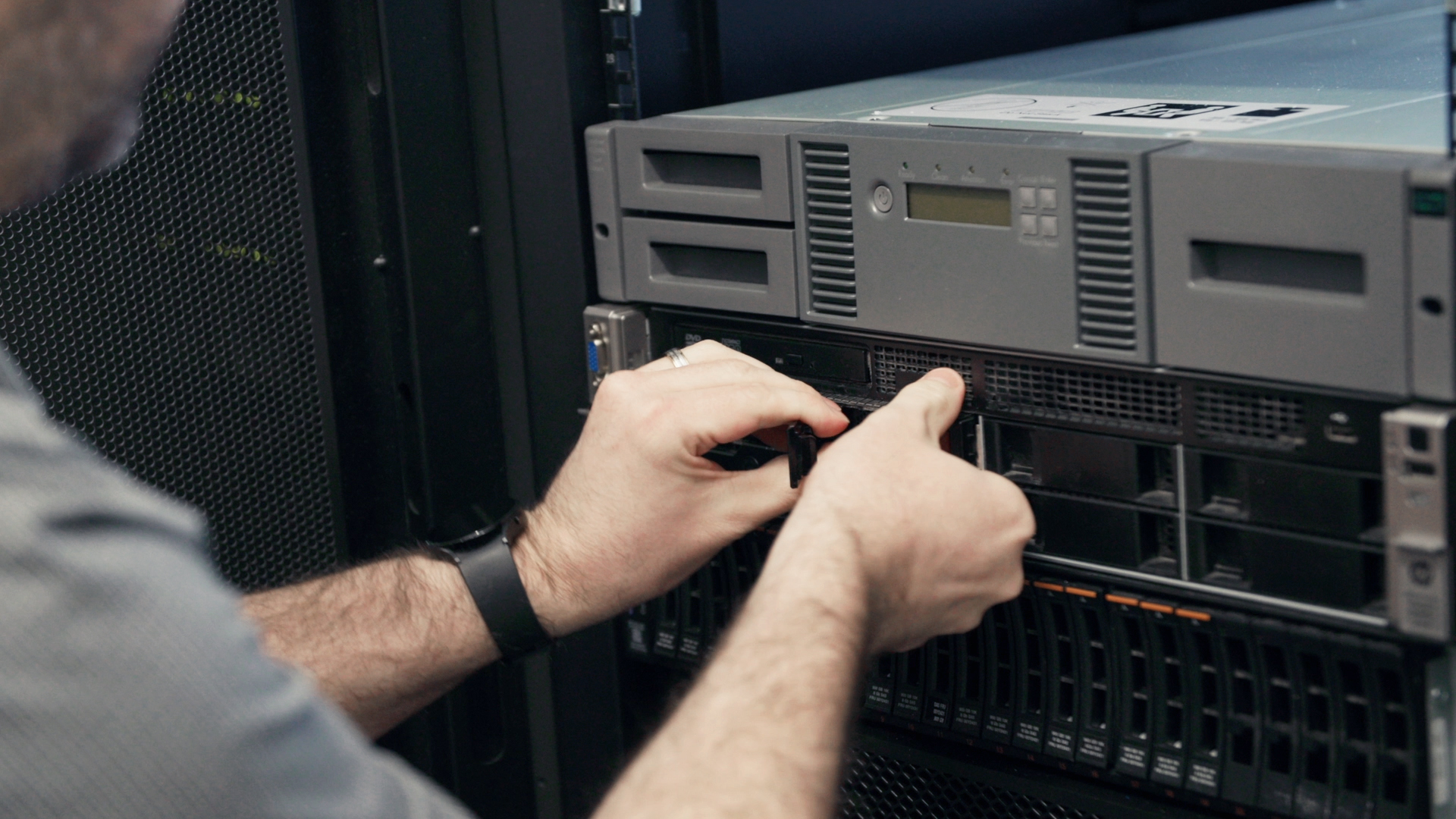
Hands working on a server in a rack
Veeam logo

Since 2015

delivering Veeam projects

600+

Veeam projects, licences and renewals completed

Every year

renewals reviewed against what is actually protected

WHAT VEEAM OFFERS

Backup that is built to be restored

Veeam protects virtual, physical and cloud workloads from one platform, and treats backup as the last line of defence against ransomware. These are the parts of the range Subnet works with most.

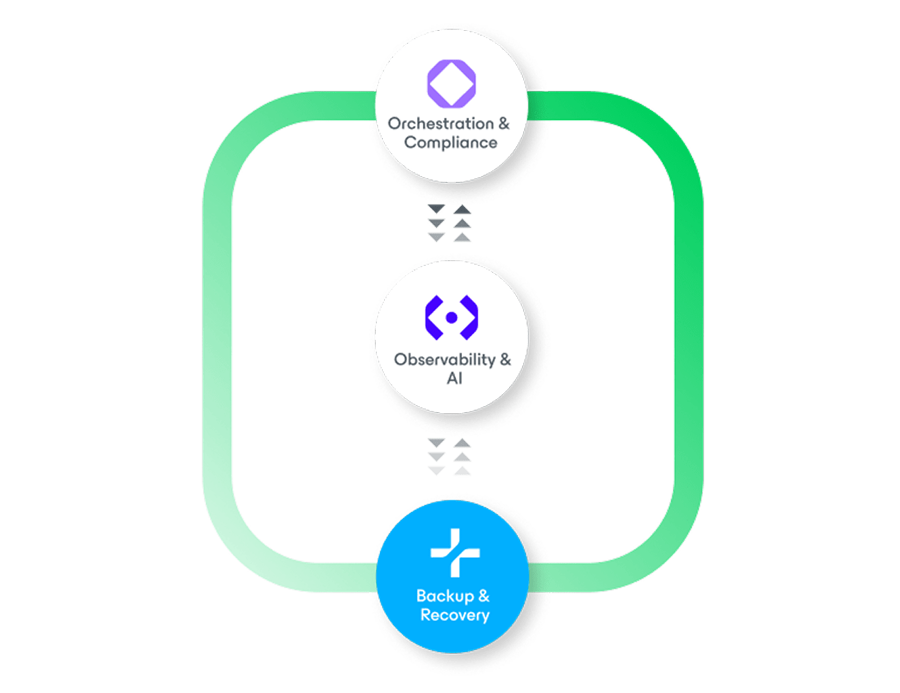
Veeam backup, recovery, observability and compliance diagram

Servers and virtual machines

Veeam Backup & Replication

The core of the Veeam Data Platform. It backs up virtual machines, physical servers and cloud workloads, and can restart a failed server directly from its backup while the full restore runs behind it. Role-based access, approval by a second administrator for destructive actions and audit reporting are built in.

What it solves

  • Not knowing whether last night’s backup would actually restore
  • Long outages while a failed server is rebuilt
  • Backups that an attacker with admin access could delete

How Subnet works with it

We size the backup server, storage and retention against how much data you can afford to lose and how long you can be down. Restores are tested on a schedule, and we report the results so the answer to “would it restore?” is known in advance.

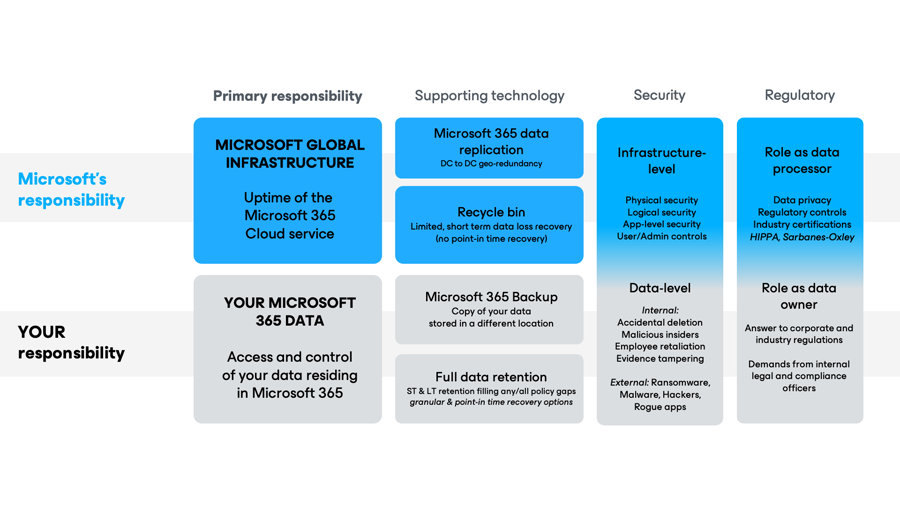
Microsoft 365 shared responsibility and backup model from Veeam

Microsoft 365

Veeam Backup for Microsoft 365

Microsoft keeps the service running; the data in it is still your responsibility. Veeam backs up Exchange Online, SharePoint, OneDrive and Teams, including channels, posts and files, and can also protect Microsoft Entra ID users and groups. It is available as software you run or as Veeam’s hosted service, with a choice of region for where the data is stored.

What it solves

  • Mail, files or Teams content deleted by mistake or by a departing staff member
  • Retention needs that go beyond Microsoft’s own limits
  • Keeping backup data in Australia

How Subnet works with it

We set up Microsoft 365 backup alongside tenancy migrations and as a standalone service, agree what is kept and for how long, and handle restores for you. Licence counts are trued up as staff numbers change.

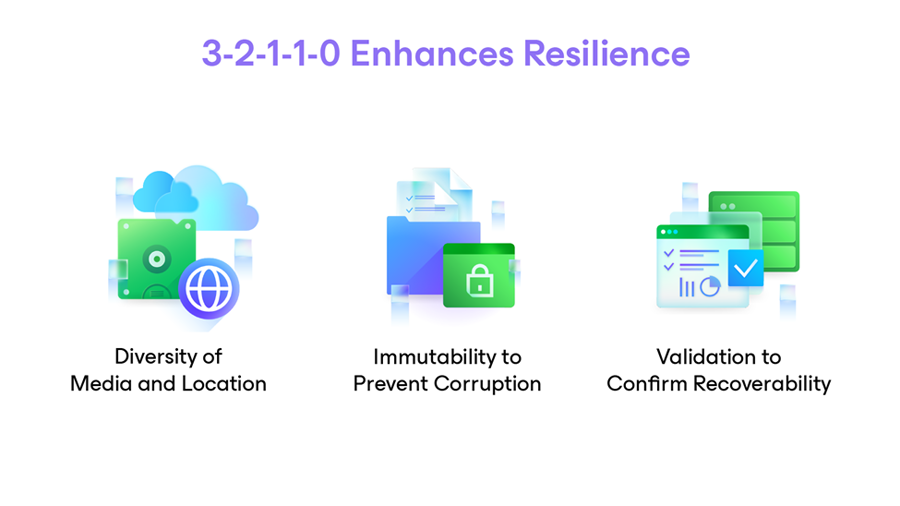
Veeam resilience diagram covering immutability, off-site diversity and recoverability

Ransomware resilience

Immutable and off-site copies

An immutable backup cannot be changed or deleted for a set period, even by an administrator. Veeam supports this on hardened local storage and on object storage in the cloud, and its guidance is to keep several copies, on different media, with one off-site and one that cannot be altered.

What it solves

  • Attackers deleting or encrypting backups before they strike
  • A single backup copy sitting in the same room as the servers
  • Cyber insurance questions about backup protection

How Subnet works with it

We design the copy chain: a fast local copy for everyday restores, an immutable copy, and an off-site copy in a second location or the cloud. We pair Veeam with HPE storage where a dedicated backup appliance makes sense.

Licensing

Subscriptions, migrations and renewals

Veeam licensing has moved from per-socket perpetual licences to portable per-workload subscriptions. The change affects cost, what is covered and how support is renewed, and older agreements need a planned move rather than a like-for-like renewal.

What it solves

  • Renewal quotes that are hard to compare year to year
  • Paying for workloads that no longer exist
  • Support lapsing on the product you rely on to recover

How Subnet works with it

We review what is actually being protected before each renewal, present one-year and multi-year options, and manage the move from socket licences to subscription. Renewals are the most frequent Veeam work we do.

WORK WITH SUBNET

How Subnet works with Veeam

1. Assess

We review what is backed up today, where the copies live and when a restore was last proven.

2. Design and size

Retention, storage and copy locations are set against agreed recovery times and data-loss limits.

3. Deploy

We install or upgrade Veeam, move existing backup chains where possible and prove a restore before handover.

4. Manage

Under Managed Services, we monitor backup jobs daily, fix failures and run scheduled restore tests.

5. Renew and review

We track renewal dates, right-size licence counts and revisit the design as systems move to the cloud.

WORK WE HAVE COMPLETED

Veeam projects by sector

Utilities

A backup storage design and implementation engagement, with follow-on Veeam consultancy.

Food and beverage production

Multi-year Veeam agreements and licence uplifts for producers, plus backup hardware and a design review to close gaps left by an earlier provider.

Health

Migration from per-socket licences to Veeam subscription, and Microsoft 365 backup.

Financial services

Annual and multi-year renewals with options compared side by side.

Education

Veeam upgrades, migrations and Microsoft 365 backup for schools and colleges.

Not-for-profit

Veeam for Microsoft 365 alongside tenancy and mail migrations.

BUSINESS PRIORITIES

START WITH THE SERVICES YOU NEED TO RESTORE.

Which systems must return first? How much recent data could your organisation tolerate losing? Who makes decisions during an incident, and which dependencies must be available before applications can work?

These questions shape recovery time and recovery point objectives, retention, storage choices and testing. A useful plan identifies assumptions and responsibilities, so you understand what is covered and what still needs attention.

SPECIALIST BACKUP AND RECOVERY CONSULTING

Work with Scott Anderson.

Scott Anderson is a Solutions Architect who joined Subnet in 2011. His experience spans server, storage, virtualisation and cloud architecture, including VMware, Nutanix, Veeam backup and replication, and multi-site disaster recovery.

Scott earned his Veeam Certified Engineer (VMCE v9) credential in 2017 and his Veeam Certified Architect (VMCA) credential in 2022. VMCE validates the practical knowledge needed to deploy, manage, troubleshoot and recover Veeam environments. VMCA adds advanced architecture capability: translating business requirements into designs for complex, enterprise-scale deployments. VMCA was Veeam’s highest certification level when Scott earned it.

Scott is currently studying toward VMCE+ and Veeam Certified Security Expert (VMCSE), continuing his development in enterprise data protection, orchestration and backup security. These qualifications are in progress, not yet held.

His consulting background includes enterprise and state government environments. He brings that experience to the practical questions behind recovery design: which services matter most, which infrastructure they depend on and what needs to be prepared before a recovery exercise.

That wider infrastructure perspective helps connect backup choices with the environment they must restore. Work can be scoped around the existing platform, proposed changes, test boundaries and the decisions the result needs to support.

CHOOSE THE RIGHT RECOVERY WORK

Test the question you need answered.

A platform upgrade, an isolated restore test and a wider disaster-recovery exercise answer different questions. Subnet can scope the work around the systems involved, the changes proposed and the evidence you need from the result.

01

Backup-platform upgrades

Review the existing platform and current compatibility requirements, then define the upgrade, prerequisites, validation and handover. Appliance-conversion work is considered only where the environment and supported path suit it.

02

Backup and tape changes

Scope additional backup or tape arrangements, rotation and operator guidance. Agree offsite storage, transport and custody responsibilities separately.

03

Selected restore validation

Test the restoration of agreed workloads in an isolated environment and document the result. This does not by itself validate full-site failover or every recovery-time and recovery-point objective.

04

Broader recovery exercises

Define the selected failover and failback scenarios, infrastructure prerequisites, dependencies and responsibilities. Record what was exercised, what was excluded and which follow-up actions remain.

05

Relocation and replication checks

Plan the agreed backup relocation or replication-validation work, with the transport, access, custody and operating responsibilities made explicit.

A SHARED LANGUAGE

BACKUP. DISASTER RECOVERY. BUSINESS CONTINUITY.

01

Backup

Copies of data that can be restored.

02

Disaster recovery

The technology and sequence needed to restore services.

03

Business continuity

How the organisation keeps operating through disruption, including people, processes and decisions.

Bringing these together creates a documented, testable approach that reflects how the organisation works, beyond checking whether last night’s jobs completed.

YOUR QUESTIONS

A LITTLE MORE CLARITY.

Who are the Veeam specialists in Adelaide?

Subnet is. We are based in Forestville, Adelaide, and have delivered Veeam backup and recovery for South Australian organisations since 2015, with more than 600 projects, licences and renewals. We design to agreed recovery times, protect backups from tampering, and test that restores work.

Can Veeam guarantee a particular recovery time?

Recovery depends on the agreed design, infrastructure, application dependencies, data volumes and the incident itself. Agree and test objectives for the relevant environment rather than infer them from a product claim.

Can Subnet review our existing setup?

Yes. A review can be scoped around the current backup arrangements, recovery priorities and improvements you want to assess.

Does a backup project include ongoing support?

The project and any ongoing support arrangements should be stated in the agreed scope, including ownership, monitoring and testing responsibilities.

Can you help us choose between an upgrade, a restore test and a DR exercise?

Yes. Start with the decision you need to make and the systems involved. The scope can then distinguish platform changes, selected restore validation and broader recovery scenarios.

Is immutable backup automatic with Veeam?

No. Veeam describes immutable backups as copies that cannot be changed or deleted for a set period. It supports this through options such as a hardened Linux repository and object storage with object lock. Immutability needs suitable infrastructure and configuration, so it is a design decision to agree rather than a feature every setup has. Retention, access and who operates the storage should be settled in the same scope. Immutability supports recovery planning but does not guarantee recovery.

Can Veeam test automatically that our backups will restore?

Veeam includes a feature called SureBackup that starts machines from a backup in an isolated environment and runs tests, to check the backup can be recovered. Whether and how it applies depends on the workloads, version, licence and infrastructure, so it should be scoped rather than assumed. An automated check of this kind complements a scoped restore test or recovery exercise. It does not by itself show that your whole organisation can recover.

How are Veeam licences counted, and what support comes with them?

Veeam’s current licensing is based on the Veeam Universal License, counted per workload and usable across virtual, physical and cloud workloads. Some workload types count differently, for example workstations and NAS storage. Veeam states that its licences include production support for the licence term. The licence you need depends on the workloads, versions and capabilities in scope, so confirm the model against Veeam’s current terms before budgeting.

Where should backup copies be kept: on site, off site or in the cloud?

Veeam describes the 3-2-1 rule: three copies of your data, on two types of storage, with at least one copy off site. Its extended 3-2-1-1-0 version adds an immutable copy and zero recovery errors. How closely your design follows this depends on your data volumes, recovery needs, connectivity and budget. Where storage, tape, transport or custody sit with another party, Subnet scopes them with you as explicit responsibilities.

Who would work on our Veeam project, and what Veeam credentials do they hold?

Scott Anderson is the Subnet Solutions Architect featured on this page for Veeam backup and recovery consulting. He joined Subnet in 2011. Scott earned his Veeam Certified Engineer (VMCE v9) credential in 2017 and his Veeam Certified Architect (VMCA) credential in 2022. He is currently studying toward VMCE+ and Veeam Certified Security Expert (VMCSE); those qualifications are in progress and not yet held. Who works on a particular project is confirmed when the work is scoped.

BEFORE WE TALK

A useful starting point.

You do not need a finished technical brief. Start with the outcome, what you know today and the questions you need answered.

  • What capability are you looking for?
  • How would it work with your current environment?
  • Who will own licensing, implementation and ongoing operation?
Discuss these priorities

HISTORICAL VEEAM RECOGNITION

A relationship built over time.

Subnet received Veeam’s South Australian Growth ProPartner of the Year award for 2012, announced in 2013. This historical recognition reflects the organisation’s growth in that period.

LET’S TALK

WHAT WOULD YOU LIKE TO DO NEXT?

Tell us about your organisation and what you need. Start a conversation, discuss a project or request a meeting.

Prefer to talk?(08) 7127 9400Already a customer and need help? Go to Support.
PROPOSED FORM · PRIVATE PREVIEW ONLY

Preview only. Nothing is sent, stored or booked.

A live version will need final routing, consent and privacy review. Subnet privacy policy

Contact us