Skip to content

Technology

Teams Phone

Subnet turns Microsoft Teams into the phone system for South Australian organisations, so calls, chat and meetings sit in the one app your people already use.

Access4 logo

Since 2006

designing and supporting business phone systems

Since 2022

delivered on the Access4 platform

One app

for calls, chat and meetings on laptop, mobile or desk phone

WHAT TEAMS PHONE OFFERS

Your phone system, inside Microsoft Teams

Teams Phone adds external calling to Microsoft Teams. Subnet delivers it with Access4 as the carrier. These are the parts that matter most.

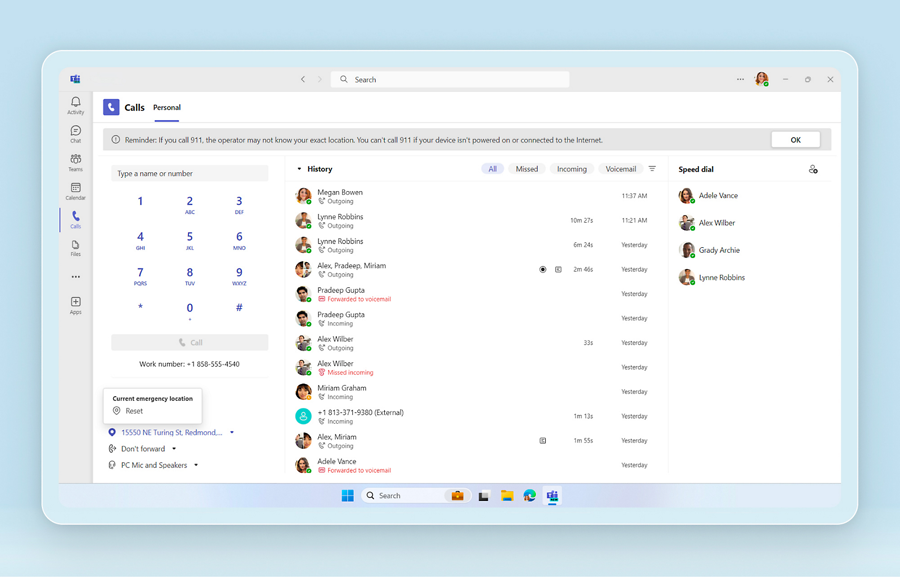
Microsoft Teams calling interface with dial pad and call history

Calling

External calling in Teams

With a Teams Phone licence and a connection to the phone network, staff make and receive calls on their own number from Teams on any device. Access4 provides that connection through Operator Connect or Direct Routing.

What it solves

  • A desk phone that only works at the desk
  • Separate apps for calls and meetings
  • Staff giving out personal mobile numbers

How Subnet works with it

We confirm licensing, assign numbers, and set up voicemail, call forwarding and delegation for each person.

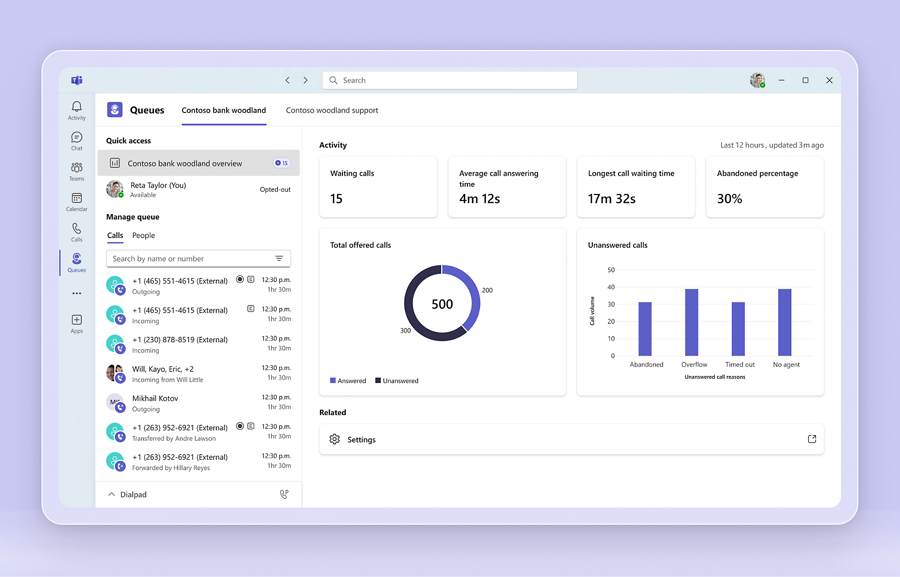
Microsoft Teams Queues dashboard showing waiting calls and service activity

Call handling

Auto attendants and call queues

Teams includes auto attendants for menus and after-hours handling, and call queues that share incoming calls across a group.

What it solves

  • Callers reaching the wrong person or no one
  • Main line calls depending on one receptionist
  • No after-hours or holiday message

How Subnet works with it

We map how calls should flow by time of day and team, build it, and test it with your reception staff before go-live.

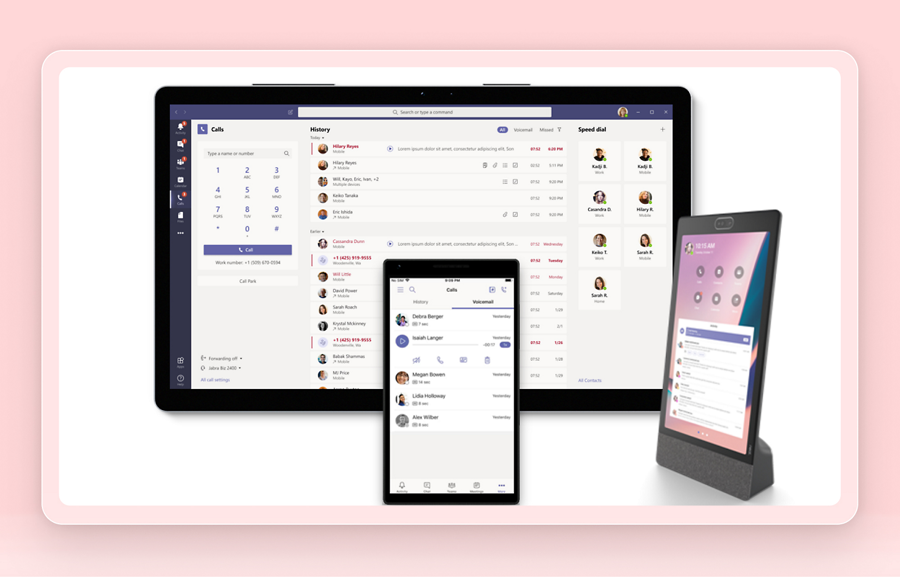
Microsoft Teams calling on desktop, mobile and desk devices

Devices

Handsets, headsets and meeting rooms

Teams calling works on a laptop or mobile with a headset. Desk handsets, conference phones and meeting room systems certified for Teams are available where they suit.

What it solves

  • Staff who still want a handset
  • Meeting rooms with poor audio
  • Not knowing which devices work with Teams

How Subnet works with it

We recommend devices by role, supply and configure them, and show people how to use them.

WORK WITH SUBNET

How Subnet works with Teams Phone

1. Assess

We audit current lines, numbers, devices and call flows, and what your Microsoft licences already include.

2. Design

Call flows, queues, numbers and devices are agreed with the people who answer the phones, at a fixed price.

3. Deploy

Numbers are ported in a planned window, with staff trained before go-live and support on the day.

4. Manage

Adds, moves and changes are handled by our service desk.

5. Review

Call reporting is reviewed with you and call handling tuned as the organisation changes.

WORK WE HAVE COMPLETED

Teams Phone projects by sector

Local government

A full Teams calling rollout for a regional council, including handsets, call reporting and fax services.

Government

Teams calling for a government body.

Defence and space

Teams calling for a technology company.

Not-for-profit

A new Teams phone system replacing a legacy platform.

Explore Teams Phone

Review licensing and total costs

A Teams Phone design should account for the licences, calling service, devices, connectivity and implementation work your organisation needs. Compare the agreed scope and ongoing costs with your current arrangement before deciding.

Find out more

Confirm the calling features you need

Review calling workflows, required features and supported integrations against the proposed configuration. Requirements to confirm include:

  • Voicemail
  • Call forwarding
  • Conference calls
  • Music on hold

Check number-porting requirements

Check which numbers can be transferred, who owns the porting request and what information and timing the provider requires. Confirm number retention for your specific service as part of the transition plan.

Resources and related technology

Questions about Teams Phone

Who sets up Microsoft Teams Phone in Adelaide?

Subnet does. We are based in Forestville, Adelaide, and have designed and supported business phone systems for South Australian organisations since 2006. We confirm licensing, connect Teams to the phone network through Access4, port your numbers, build call queues and menus, supply devices and train your staff.

What is Microsoft Teams Phone?

Teams Phone is the Microsoft 365 feature that lets people make and receive external phone calls in Microsoft Teams. With a Teams Phone licence and a connection to the phone network, each person has their own number in the same app they use for chat and meetings, on a laptop, mobile or desk phone.

What licences do we need for Teams Phone?

Each person who makes external calls needs a Microsoft 365 licence that includes Teams, plus Teams Phone. Teams Phone is included in some Microsoft 365 plans and is an add-on to others. They also need a calling service and a phone number from a carrier. Subnet checks what your current licences already include before quoting.

How much does Teams Phone cost?

There are three parts: the Teams Phone licence for each calling user, a calling plan and numbers from the carrier, and a one-off set-up and porting cost. Handsets and headsets are optional. Subnet quotes a fixed monthly price per user and a fixed project price, so the total is known before you commit.

Can we keep our existing phone numbers?

Yes, in almost all cases. Main lines and direct numbers are ported from your current carrier on an agreed date, and Subnet tests each number after it moves. Tell us early about fax lines, lift phones, alarms and EFTPOS lines, because they need their own plan.

Do we still need desk phones with Teams Phone?

No. Teams calling works on a laptop or mobile with a headset. Many organisations keep handsets for reception, shared areas and staff who prefer them. Handsets certified for Teams sign in with the person’s account and show their calls, voicemail and calendar.

Can Teams Phone replace our reception phone system?

Usually, yes. Teams includes auto attendants for menus and after-hours messages, and call queues that share incoming calls across a group. Busy reception desks or customer service teams that need wallboards and detailed reporting can add a contact centre product such as CC4Teams.

What happens to calls if our internet goes down?

Teams Phone runs in the cloud, so your numbers keep working even if one site is offline. Staff can answer on the Teams mobile app over mobile data, and calls can be set to forward to mobiles or another site. Subnet builds this into the design and recommends a backup internet link for sites that depend on the phones.

Can we call 000 from Teams Phone?

Yes. Emergency calls to 000 work from Teams Phone. Because people can sign in from anywhere, each number is registered with an address, and it is important to keep those addresses current. Subnet records the correct location for each site during set-up and explains what staff working remotely should know.

How long does a move to Teams Phone take?

A small office can usually move within a few weeks. The timing is mostly set by number porting, which the losing carrier schedules, and by how many call flows need to be designed. Larger organisations move in stages by site or team. Subnet gives you a dated plan before work starts.


BEFORE WE TALK

A useful starting point.

You do not need a finished technical brief. Start with the outcome, what you know today and the questions you need answered.

  • What capability are you looking for?
  • How would it work with your current environment?
  • Who will own licensing, implementation and ongoing operation?
Discuss these priorities

LET’S TALK

WHAT WOULD YOU LIKE TO DO NEXT?

Tell us about your organisation and what you need. Start a conversation, discuss a project or request a meeting.

Prefer to talk?(08) 7127 9400Already a customer and need help? Go to Support.
PROPOSED FORM · PRIVATE PREVIEW ONLY

Preview only. Nothing is sent, stored or booked.

A live version will need final routing, consent and privacy review. Subnet privacy policy

Contact us