Who can migrate our organisation to Microsoft 365 in Adelaide?
Subnet does. We are based in Forestville, Adelaide, and have been a Microsoft partner since 2001. We plan the structure with each team, migrate email and files in stages, set up devices in Intune and support staff through our service desk afterwards.
How long does a Microsoft 365 migration take?
A small organisation can usually move email within a few weeks. Moving files into SharePoint takes longer, because the structure and permissions should be agreed with each team first. Subnet migrates in stages, team by team, with training before each move.
What does a modern workplace cover?
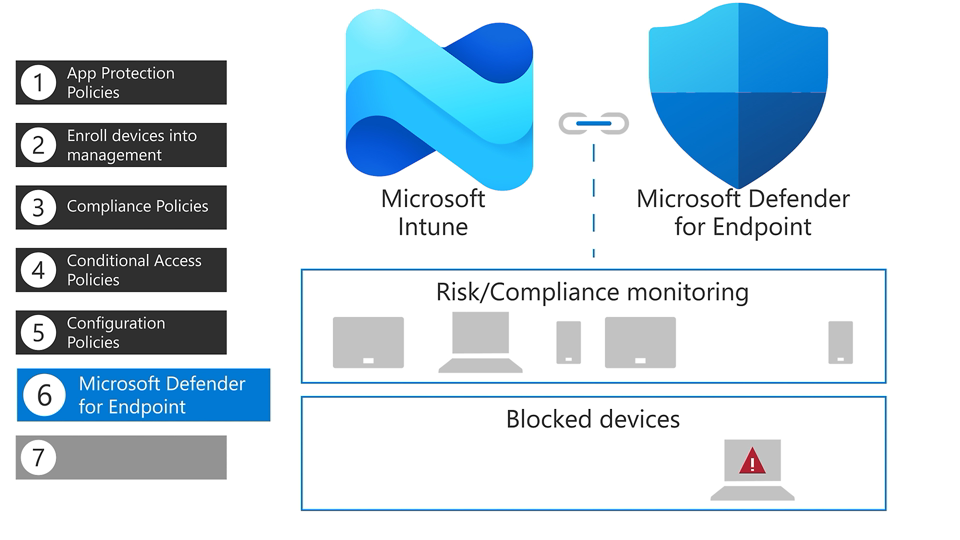
It covers the Microsoft 365 applications and services people use each day and how they are set up to work together: everyday productivity apps such as Word, Excel, PowerPoint and Outlook; Teams for conversations and meetings; SharePoint and OneDrive for shared and individual files; and Intune and Entra capabilities that connect application deployment, device configuration and access. What falls in scope depends on your subscriptions, the platforms supported and who is responsible for rollout, so scope it around how your people work rather than a product list.
What is the difference between Outlook and Exchange Online?
Exchange Online is the Microsoft cloud service that hosts email, calendars, contacts and tasks, including shared mailboxes and shared calendars. Outlook is one of the apps people use to reach those mailboxes, alongside Outlook on the web and the Outlook mobile app. When planning email, treat the mailbox service and the apps on each device as two decisions, and confirm that your subscription covers both.
Should files go in OneDrive or in SharePoint?
Microsoft describes OneDrive for work or school as individual storage: files are private until the owner shares them. SharePoint team sites are shared spaces for a defined group, and are created automatically with a Microsoft 365 group or a Teams team. As a rule of thumb, work that mainly belongs to one person suits OneDrive, while files a group owns and edits regularly suit a team site. Agree owners and access for each shared site before moving folders.
Where do files shared in Teams actually end up?
Teams does not hold files itself. Files shared in a team channel are stored in that team’s SharePoint site, in a folder for the channel. Files shared in a one-to-one or group chat are saved in the sender’s OneDrive. Private and shared channels get their own SharePoint sites, so access follows channel membership. This is why Teams, SharePoint and OneDrive permissions need to be planned together.
What is the difference between a shared mailbox, a distribution group and a Microsoft 365 group?
A shared mailbox gives several people access to one mailbox, such as an information, support or reception address, and permitted users can send as that address. A distribution group sends email to a fixed list of people. A Microsoft 365 group adds a shared workspace for conversations, files and a calendar, and is the membership behind a Teams team. Security groups are different again: they grant access to resources such as SharePoint sites. Choosing the right type up front avoids rebuilding mailboxes and permissions later.
How can people outside our organisation be given access to files?
SharePoint and OneDrive support external sharing with partners, vendors and clients. Microsoft describes three levels: anyone with a link, guests who sign in, and internal users only. Administrators control which levels are allowed for the organisation and for each site, and the more restrictive setting wins. Sites holding sensitive material can have external sharing turned off. Decide who may invite guests, which sites allow it and how access is reviewed before sharing is opened up.
Is Microsoft 365 the same as Office 2024?
No. Microsoft 365 is a subscription, and its apps receive new features as well as security updates. Office 2024 is a one-time purchase that installs on a single computer and receives security updates but no new features. The Microsoft comparison also lists Outlook and OneNote as part of the subscription, with Word, Excel and PowerPoint in both. Before choosing, check which applications, cloud services and management controls your people need.
Does “any device, anywhere” mean every device gets the same access?
No. It is an outcome to design responsibly, not a promise that every device is treated the same. Access can differ by person, role, device and the information involved, and not every Microsoft 365 subscription includes the same applications and controls. Start by listing which devices and applications people rely on and what each needs to reach.