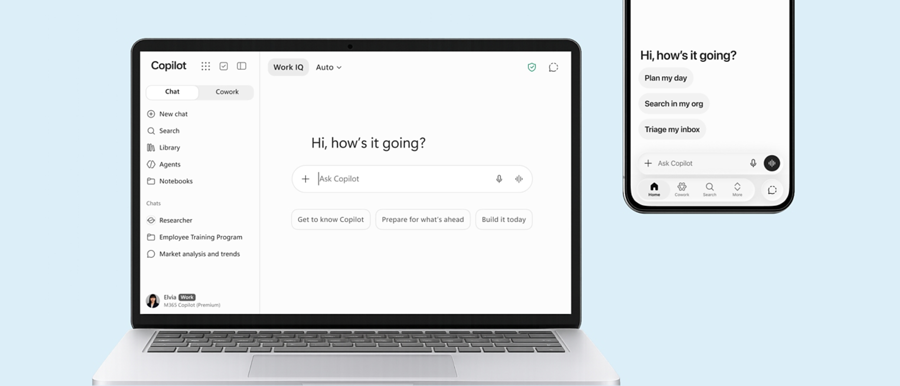
Who can help our organisation get ready for Microsoft Copilot in Adelaide?
Subnet does. We are based in Forestville, Adelaide, and have been a Microsoft partner since 2001. We review permissions and sensitive information in Microsoft 365, fix oversharing, help you set an AI policy and run a Copilot pilot before wider licensing.
Is an AI readiness review only about Microsoft Copilot?
No. Subnet’s readiness assessment is for organisations exploring Microsoft Copilot, ChatGPT or other AI-enabled tools. It reviews data security, identity, permissions, information protection, governance and Microsoft 365 readiness, because safe adoption begins with understanding what data users and AI tools can access. Which tools and parts of your environment are reviewed is agreed in scope.
What should staff avoid entering into public AI chatbots?
The Office of the Australian Information Commissioner (OAIC) recommends that organisations do not enter personal information, and particularly sensitive information, into publicly available AI chatbots. Its guidance points to the difficulty of tracking or removing information once it has been entered, and notes that privacy obligations also apply to AI output that contains personal information. A short written rule on what may be entered, and which approved tools staff should use instead, makes that guidance practical.
What should we check in an AI tool’s terms before approving it?
The OAIC’s guidance for organisations points to several checks: whether the product suits your intended use, how secure it is and where data will be hosted, and whether the vendor uses your data for training or shares it with third parties, and if those features can be turned off. It also recommends a privacy impact assessment, and treats due diligence as ongoing rather than one-off. A readiness review can show what data an approved tool could reach, while the contract and privacy assessment remain decisions for your organisation and its advisers.
Do we need an AI policy, and who should own it?
The Australian Government’s Guidance for AI Adoption, published in October 2025, makes assigning accountability the first of six essential practices: name a senior leader to oversee AI use, write an AI policy, and give each AI system an accountable person. Your organisation stays responsible for how it uses AI, including tools bought from vendors. The policy itself is a leadership decision; a review of identity, permissions and governance gives it practical facts to build on.
How do we find out which AI tools our staff are already using?
Start with a register. The Guidance for AI Adoption recommends keeping a register of AI systems, including tools bought from vendors and AI built into other software, and recording how each is used. Technical visibility can help as well: Subnet can discuss Netskope capabilities for supported AI application visibility and in-use data policies. What can be seen depends on which applications are supported and on the agreed scope, and this is distinct from Microsoft permissions and data-governance work.
Do the new privacy rules on automated decisions affect us?
From 10 December 2026, a new Privacy Act requirement applies to organisations covered by the Australian Privacy Principles (APP entities). It is triggered where the organisation has arranged for a computer program to make, or do something substantially and directly related to making, a decision that could reasonably be expected to significantly affect an individual’s rights or interests, and the program uses that individual’s personal information. Where it applies, the organisation’s privacy policy must set out the kinds of personal information those programs use and the kinds of such decisions. Whether it applies to your organisation or to a particular tool is a question for your legal adviser and the OAIC’s guidance. A list of the AI tools in use and the data they touch is a practical starting input.
Can we start with a small pilot before wider rollout?
Often, yes. The Guidance for AI Adoption says to screen each AI use for risk, scale controls to match, verify systems before deployment and keep monitoring after launch. A pilot with a defined group of users, a defined set of data and a clear success measure fits that approach. A readiness review can help prioritise which access and data issues to address first; the pilot design and any remediation are agreed in scope.
What do we receive from a readiness review?
Subnet reviews the agreed areas of your environment and helps prioritise an action plan your team can work with. The areas covered, the format of the findings and whether Subnet carries out any remediation are agreed in scope. You do not need a finished technical brief to begin: start with the outcome you want, which users, applications, systems and risks are involved, and what a practical first step would look like.
Will a readiness review make us compliant or guarantee safe AI use?
No. A readiness review identifies and prioritises risk and supports preparation; it is not a certification and does not guarantee security, privacy compliance or any particular AI outcome. Obligations under laws such as the Privacy Act remain with your organisation, and AI use still needs owners, testing and ongoing monitoring after launch.