Skip to content

Technology

Access4

Access4 provides the voice platform behind Subnet’s phone services. Our focus is Microsoft Teams calling: turning the Teams your people already use into the phone system, with numbers, call queues and contact centre features added around it.

Access4 logo

Since 2022

delivering voice on the Access4 platform

Since 2006

designing and supporting business phone systems

Channel only

Access4 sells through partners such as Subnet, so you deal with one local team

WHAT ACCESS4 OFFERS

Teams calling at the centre, with the extras around it

Access4 is an Australian voice and collaboration platform built for IT service providers. It supplies the phone lines, numbers and calling services, and Subnet designs, provisions and supports them for you. These are the parts of the range Subnet works with most.

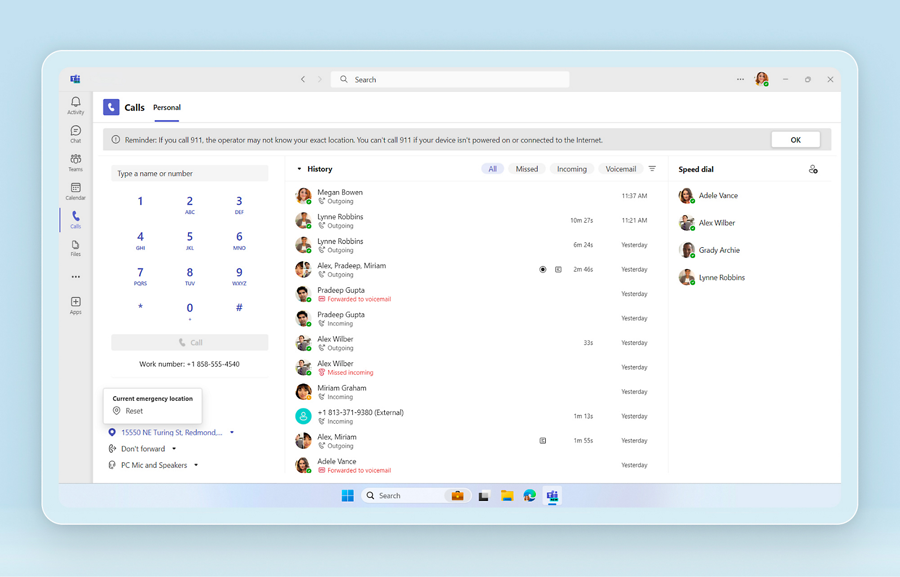
Microsoft Teams calling interface with dial pad and call history

Core service

Microsoft Teams calling

Access4 connects Microsoft Teams to the public phone network, so staff make and take external calls in the same app they already use for chat and meetings, on a laptop, mobile or desk phone. It can be delivered through Operator Connect, the simpler option managed inside Microsoft 365, or Direct Routing where more control is needed.

What it solves

  • An ageing phone system that only works at the desk
  • Paying for a separate phone platform alongside Microsoft 365
  • Staff working from several sites, home and mobile

How Subnet works with it

We confirm Microsoft licensing, design call flows, auto attendants and queues with you, port your numbers and train your people. Sites and teams can move in stages so no one loses their number on the day.

Call Transfer symbol

Complex environments

Direct Routing and staged migrations

Direct Routing suits organisations with existing phone systems, complex call flows or several sites. Access4 positions it for custom dial plans, multi-site environments and staged moves to Teams, so old and new systems can run side by side during the change.

What it solves

  • A phone system that cannot be replaced in one weekend
  • Analogue devices, lifts, alarms and door phones that still need a line
  • Different call handling needs at each site

How Subnet works with it

We map every number and device before anything moves, keep the old system connected while teams migrate, and retire it only when the last service is across.

Call Connecting symbol

Lines and numbers

SIP trunks and phone numbers

Access4 supplies the SIP lines and the phone numbers themselves, including direct numbers for individual staff. Existing numbers can be ported across, and new ranges added as you grow.

What it solves

  • Keeping published numbers through a change of system
  • Old copper and ISDN services being withdrawn
  • Needing more direct numbers quickly

How Subnet works with it

We manage the porting paperwork and timing with the losing carrier, test before cut-over and keep a record of every number and where it lands.

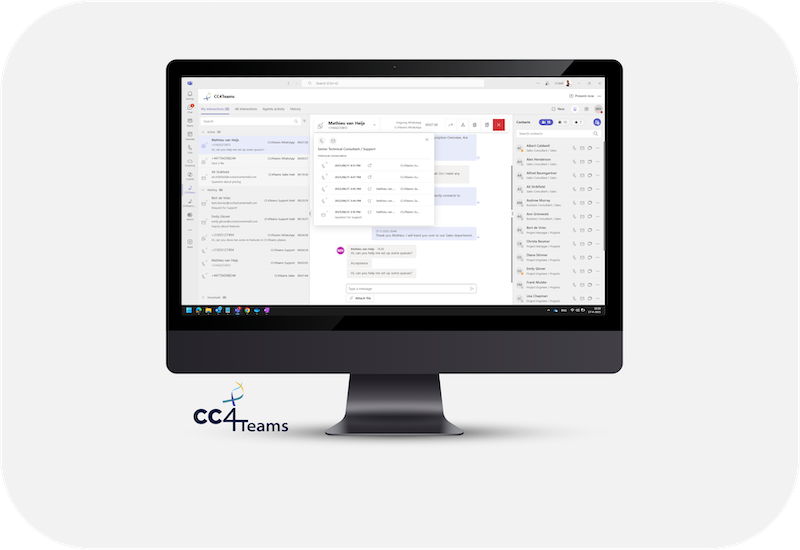
CC4Teams contact centre interface on a desktop display

Contact centre

CC4Teams

CC4Teams turns Microsoft Teams into a working contact centre, so reception, service desks and customer service teams handle queues inside Teams instead of a separate platform. Access4’s wider customer experience range covers voice, chat and email.

What it solves

  • Busy reception or service lines with no view of waiting calls
  • Supervisors with no reporting on answer times
  • A separate contact centre tool nobody likes using

How Subnet works with it

We set up queues, skills, wallboards and reporting around how your team actually works, and adjust them after go-live once real call patterns are visible.

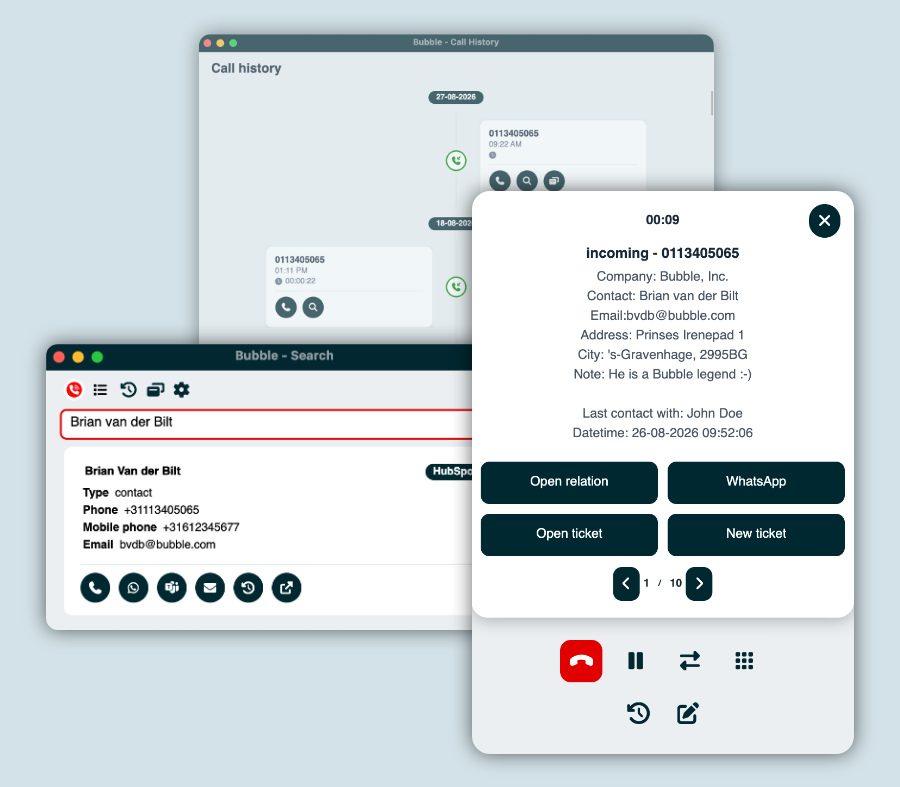
Red Cactus Bubble desktop call handling and CRM information

Integration

Red Cactus and CRM integration

Red Cactus links calling to the systems your staff work in, so the caller’s record appears as the phone rings and calls can be made from the customer record.

What it solves

  • Staff searching for a customer while the caller waits
  • Calls that never get logged against the customer
  • Switching between the phone and the CRM all day

How Subnet works with it

We connect it to your CRM or line-of-business system and test it with the people who take the calls.

Cloud Desktop symbol

Beyond Teams

Hosted voice

Not every site suits Teams. Access4’s hosted voice service provides a cloud phone system with desktop and mobile apps and desk handsets, for locations or roles that need a traditional phone experience.

What it solves

  • Shared areas, warehouses and front counters
  • Sites without Microsoft 365 licences for every user
  • Wanting handsets that simply work

How Subnet works with it

We mix hosted voice and Teams calling in one design where that is the better answer, on one bill and one support number.

WORK WITH SUBNET

How Subnet works with Access4

1. Assess

We audit current lines, numbers, devices and call flows, and check what your Microsoft licences already include.

2. Design

Call flows, queues, numbers and handsets are agreed with the people who answer the phones, at a fixed price.

3. Deploy

Numbers are ported in a planned window, with staff trained before go-live and support on the day.

4. Manage

Adds, moves and changes are handled by our service desk, with one bill for lines, numbers and licences.

5. Review

We review call reporting with you and tune queues and call handling as the organisation changes.

WORK WE HAVE COMPLETED

Access4 projects by sector

Local government

A full Teams calling rollout for a regional council, including handsets, call reporting and fax services.

Government

Teams calling for a government body.

Defence and space

Teams calling for a technology company.

Not-for-profit

A new Teams phone system replacing a legacy platform.

Explore Access4

Subnet and Access4 Unified Communications

Access4 brings hosted voice, unified communications and contact-centre options into a cloud communications portfolio. Review the service that fits your organisation’s calling and collaboration needs.

Hosted Voice, UCaaS and CCaaS serve different requirements. Confirm the proposed configuration, integrations and administration responsibilities, including the role of the SASBOSS platform where applicable.

Compare the proposed Access4 services against your user numbers, growth plans, workflows and support requirements before agreeing the configuration.

Enhanced User Experience

Identify the devices, locations and collaboration tools your team uses. Check supported features, connectivity and administration requirements for the proposed service.

Hosted Voice

Review Hosted Voice against your calling requirements. Confirm supported handsets, apps, integrations and connectivity for each intended device and location before agreeing the deployment.

Plan hosted voice around your calling needs, connectivity and support expectations. Agree the implementation, ongoing responsibilities and service terms with Subnet; call quality and availability depend on the configured service and its operating conditions.

Explore Hosted Voice

Unified Communications as a Service (UCaaS)

UCaaS connects voice and collaboration in a cloud service. Review your existing phone system, user workflows and transition requirements before agreeing the implementation. Explore Access4 UCaaS

Review connectivity, service availability and continuity requirements for each location. Agree how the proposed service will be tested, supported and used if a connection or component is unavailable.

Confirm which collaboration features and integrations are included in the proposed configuration, and plan user training and adoption alongside the technical rollout.

Contact Centre as a Service (CCaaS)

Assess Contact Centre as a Service against how your team handles customer enquiries. Define calling workflows, integrations and reporting requirements, then agree the platform configuration and delivery scope. Explore Access4 CCaaS

Compare contact-centre workflows, integration needs and total costs before selecting a service. Define the measures you will use to assess the customer and staff experience after implementation.

Resources and related technology

Access4 webinar replay

This webinar replay is currently unavailable for external viewing. Explore the service information above or discuss your requirements with Subnet.

Discuss Access4 requirements

YOUR QUESTIONS

A LITTLE MORE CLARITY.

Who sets up Microsoft Teams calling and business phone systems in Adelaide?

Subnet does. We are based in Forestville, Adelaide, and have designed and supported business phone systems for South Australian organisations since 2006. Since 2022 our voice services have run on the Access4 platform, with Microsoft Teams calling as the main focus. We design the call flows, port your numbers, supply handsets and headsets, train your staff and support the service afterwards.

Can we keep our existing phone numbers when we move to Teams calling?

Yes, in almost all cases. Existing numbers, including main lines and direct numbers, are ported from your current carrier to the new service. Porting is booked for an agreed date and time, and Subnet manages the paperwork and tests each number after it moves. Tell us early about fax lines, lift phones, alarms and EFTPOS lines, because they need their own plan.

How much does Microsoft Teams calling cost?

There are three parts: a Microsoft Teams Phone licence for each person who makes external calls, a calling plan and phone numbers from the carrier, and a one-off set-up and porting cost. Handsets and headsets are optional, since Teams works on a laptop or mobile. The total depends on how many people need external calling and how complex your call handling is, so Subnet quotes a fixed monthly price per user and a fixed project price.

What is the difference between Hosted Voice, UCaaS and CCaaS?

Hosted Voice is cloud calling: handsets or apps, numbers and call handling delivered as a service. UCaaS adds collaboration, such as messaging and meetings, alongside voice. CCaaS is built for teams that handle customer enquiries, adding queues, workflows, integrations and reporting. Contact-centre needs are scoped separately from day-to-day calling. Start with how your people actually communicate, then agree which service and configuration fit.

Should we use Operator Connect or Direct Routing with Teams?

Access4 describes both. Operator Connect is the more native route, where the operator runs the phone-network connection and numbers are assigned in the Teams admin centre. Direct Routing suits existing PBXs, SIP trunks, custom dial plans, multi-site setups and phased moves. Microsoft notes that Direct Routing relies on a certified session border controller and a SIP trunk, which the customer side provides and operates. Which route fits depends on your current phone system and how much control you need, and it is settled in scoping.

Can we move to the new system in stages instead of all at once?

Often, depending on the route chosen. Microsoft describes Direct Routing as able to run alongside Operator Connect and Calling Plans in the same Teams environment, so different groups of users can be on different arrangements during a transition. Microsoft also advises validating before production rollout and testing failover. Agree who moves first, how long the old and new systems overlap, what is tested before each stage and how people reach the right team during the changeover.

When is a Teams call queue enough, and when do we need a contact centre?

A Teams call queue holds callers, plays music, and distributes calls to agents using methods such as round robin or longest idle, with limits on queue size, wait time and agent numbers. That can suit a team or help desk. A contact centre service becomes relevant when you need wider workflows, integrations or reporting. Test your needs against Microsoft’s documented queue limits and ask what reporting you require before choosing. Decide how you will judge success after go-live.

How does emergency calling work with a cloud phone system?

It needs deliberate setup. Microsoft says administrators configure emergency addresses and locations, and routing depends on the phone-network option and client type. Users working away from the office may need to share location, and people can be prompted to confirm their address. Because roaming and remote staff change the location a call comes from, record how locations are maintained, who owns changes and how emergency calling is tested. Check Australian requirements with your provider.

Is our network ready for cloud voice?

Check it before go-live. Microsoft’s guidance covers bandwidth per user, quality-of-service settings, firewall access, split tunnelling for VPN traffic and Wi-Fi design. It links choppy audio to jitter and packet loss and recommends tools such as the Network Planner and Call Quality Dashboard in Teams. Review each location’s connection, how failures are handled and what you will do if a link is unavailable. Results from that review inform the proposed configuration.

Who do we contact if call quality drops?

Agree that before go-live. Responsibility is split. For Operator Connect, Microsoft says the operator handles phone-network troubleshooting while Microsoft supports Teams itself. With Direct Routing, the customer side and its equipment vendor carry more of the investigation. Your network, devices and Microsoft 365 settings can also be the cause. Record who triages a report, how issues are handed between teams and what information users should collect.

BEFORE WE TALK

A useful starting point.

You do not need a finished technical brief. Start with the outcome, what you know today and the questions you need answered.

  • What capability are you looking for?
  • How would it work with your current environment?
  • Who will own licensing, implementation and ongoing operation?
Discuss these priorities

LET’S TALK

WHAT WOULD YOU LIKE TO DO NEXT?

Tell us about your organisation and what you need. Start a conversation, discuss a project or request a meeting.

Prefer to talk?(08) 7127 9400Already a customer and need help? Go to Support.
PROPOSED FORM · PRIVATE PREVIEW ONLY

Preview only. Nothing is sent, stored or booked.

A live version will need final routing, consent and privacy review. Subnet privacy policy

Contact us