Skip to content

IT services

Network and Wi-Fi projects

Subnet designs, installs and manages wired and wireless networks for South Australian organisations, from a single office to multi-site campuses.

270+

switching projects and supplies

85+

Aruba networking projects

360+

FortiGate firewalls supplied and configured

Survey to support

by one team

WHAT WE DELIVER

A network designed for how the site is used

These are the parts Subnet delivers, and the technology we use for each.

Wireless

Wi-Fi design and deployment

HPE Aruba Networking and Fortinet wireless, designed from a site survey so coverage and capacity match real use.

What it solves

  • Dead spots and dropouts
  • Wi-Fi that slows when rooms fill
  • Access points placed by guesswork

How Subnet works with it

We survey, design to agreed coverage targets and test against them after installation.

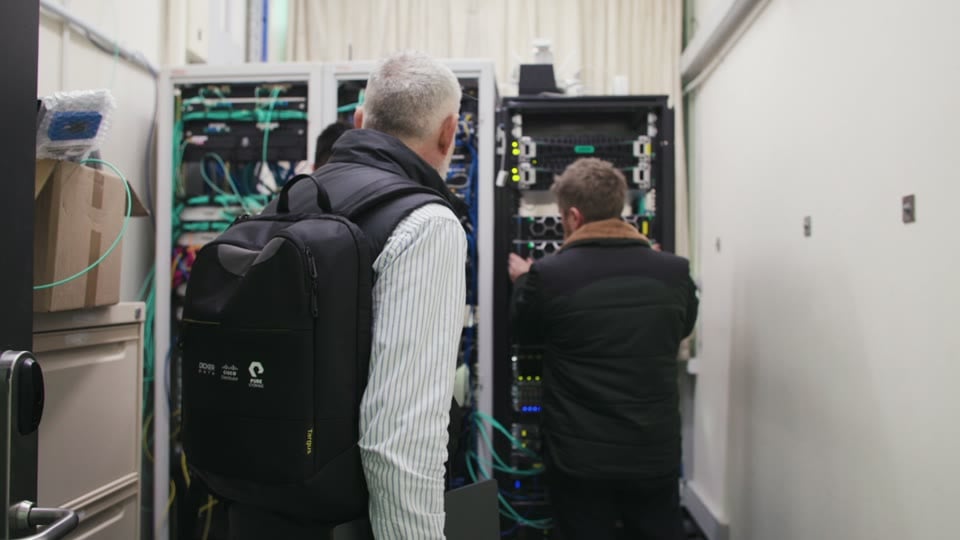
Subnet staff inspecting a network equipment cabinet

Wired

Switching and site connectivity

Switches, cabling and links between buildings and sites, with the network separated by purpose.

What it solves

  • Switches at end of support
  • One flat network for everything
  • Slow links between buildings

How Subnet works with it

We replace in planned windows and document the result.

Security

Firewalls and secure access

FortiGate firewalls, remote access and SD-WAN, managed as part of the same network.

What it solves

  • An ageing firewall
  • Remote access that is hard to control
  • A new site to connect

How Subnet works with it

We migrate rules carefully, test before cut-over and manage firmware afterwards.

Wide area

Private 5G

Private cellular coverage for large outdoor and industrial sites where Wi-Fi is not enough.

What it solves

  • Coverage gaps across yards
  • Dropouts on vehicles and handhelds
  • Cabling that is impractical

How Subnet works with it

We assess whether it suits the site and scope it with HPE specialists.

WORK WE HAVE COMPLETED

Network and Wi-Fi projects work by sector

Education

New HPE infrastructure for schools and colleges, with Aruba switching and Wi-Fi across campuses.

Aged care

FortiGate firewalls and FortiSwitch networks at each new and refurbished site for a multi-site provider, an engagement running since 2017.

Construction

Servers for head offices and interstate branches, and Aruba Wi-Fi for a head office.

Local government and utilities

A firewall migration to FortiGate for a regional water organisation, and depot connectivity over nbn for a regional council.

From wireless assessment to a scoped deployment

Understand the site and its use

Bring together available floor plans, current equipment, problem locations and expected demand. A wireless assessment can inform the number and location of access points and the security configuration. Agree which areas and conditions the assessment will cover.

Define the network design

Set the required coverage, device capacity and access rules alongside the existing infrastructure. Identify where staff, guests or operational devices need different access. Record which equipment can be retained and which changes depend on licences, connectivity or other suppliers.

Implement the approved change

Scope the equipment, configuration and installation work explicitly. Agree the rollout sequence, change windows and who can authorise each stage. Include the checks needed before a site or area is accepted and passed to its support owner.

Decide how the result will be checked

Acceptance should reflect how the site will be used. Agree the locations, devices, applications and test conditions before deployment so the result can be compared with the brief.

Coverage and capacity

Check the agreed areas using representative devices and application activity. Coverage concerns where a usable connection is available; capacity concerns the demand the network needs to handle. Set suitable targets for both rather than relying on a single connection test.

Access separation

Check that each agreed user or device group can reach the services it needs and that restricted paths are blocked. Include the permissions and approval decisions needed to change those rules later.

Resilience and recovery

Where redundancy or recovery changes are part of the design, specify the failure scenarios to test and the expected behaviour. Confirm the restoration steps and responsible people for the systems in scope.

An example of a network refresh

Illustrative example: an organisation is refreshing Wi-Fi across an office and a public-facing site. Staff need access to business systems, while visitors need a separate way to get online.

The assessment uses the site layouts, device needs and observations from busy periods to inform the design. The organisation approves the access rules and a staged change plan. Deployment begins in an agreed area, followed by checks using representative staff and visitor devices.

The review records whether the agreed areas and activities meet the acceptance criteria, any exceptions and who owns the next action. Handover identifies the support team and the configuration information it needs. Expansion to the next area follows the agreed approval point.

What belongs in the project agreement

An assessment, a design and an installation are different pieces of work. The proposal should state which are included, the outputs you will receive and where another provider or your internal team is responsible.

  • Sites and environments: buildings, outdoor areas if relevant, existing equipment and the users or devices in scope.
  • Customer inputs: site access, available plans, authorised system access, application requirements and people who can approve the design and test the result.
  • Dependencies: cabling and electrical work, carrier services, equipment availability, licences and third-party access.
  • Delivery boundaries: installation tasks, change windows, testing, any recovery work and the treatment of issues discovered outside the brief.
  • Handover: agreed configuration records, operating guidance, knowledge transfer and any post-project assistance. Ongoing monitoring and maintenance need their own service coverage.

Network delivery across different sites

Subnet’s published Adelaide Aquatic Centre case study describes network switching, connectivity and Wi-Fi infrastructure across two aquatic facilities. The deployment combined shared configurations and management tools with adjustments for each site’s layout, user demand and connectivity needs.

Read the Adelaide Aquatic Centre case study

Questions about network and Wi-Fi projects

Who designs and installs business Wi-Fi and networks in Adelaide?

Subnet does. We are based in Forestville, Adelaide, and design, install and manage wired and wireless networks for South Australian organisations, from single offices to multi-site campuses. We work mainly with HPE Aruba Networking and Fortinet, survey the site before designing, and test the result against agreed coverage targets.

Do we need a wireless assessment before replacing equipment?

An assessment can help identify the requirements and constraints before equipment is selected. Start with the problem locations, available plans, devices and expected demand. Agree how much investigation is needed and whether the engagement includes a design, implementation or both.

What is the difference between coverage and capacity?

Coverage is about where a usable Wi-Fi connection is available. Capacity is about the demand the network can support in those areas. A location may have a signal but still need a design review for busy periods or demanding applications. Acceptance checks should address both.

Can we keep our existing switches and access points?

Possibly. Their suitability needs to be checked against the proposed design, support status, licensing and compatibility requirements. The scope should identify retained equipment and any limitations, rather than assume the entire network needs replacement or that every device will fit.

Are cabling and internet services included?

Only where the proposal includes them. Confirm who is responsible for cabling, power, carrier services and any work by other suppliers. These dependencies can affect where equipment can be installed and when a change is ready to proceed.

Will deployment interrupt the business?

Some network changes require a service interruption. Agree the affected areas, change windows, communication and recovery arrangements before implementation. A staged rollout may be appropriate, but its suitability depends on the existing design and the work required.

Who supports the network after the project?

That is a handover decision. Confirm who owns administration, configuration changes, monitoring and maintenance after delivery. Your internal team or an agreed managed service can take responsibility; a project does not automatically include continuing support.

Do we need Wi-Fi 6E or Wi-Fi 7 to get a better result?

Not necessarily. Newer Wi-Fi generations add capacity and, with Wi-Fi 6E and later, access to the 6 GHz band, where Australia allows Wi-Fi-type devices across 5925 to 6425 MHz under the ACMA’s low interference potential devices class licence, with power limits and an indoor-only requirement for low power devices. Devices only benefit if they support the same generation and band, and many existing laptops, phones and operational devices do not. The assessment should check which devices connect today, where demand is highest and how long the equipment is expected to stay in service before choosing a generation.

Does putting guests and staff on separate VLANs keep them secure?

A VLAN divides one physical network into separate logical segments, which helps keep guest, staff and operational devices apart. On its own it is not a security control: what each segment can reach depends on the firewall or routing rules between them, on who may change those rules, and on how devices are authenticated. Scoping should name each user or device group, the services it needs, the paths that must be blocked and the checks that confirm the rules work.

How should Wi-Fi sign-in and encryption be decided?

The choice depends on who and what connects. Shared passphrases are simple but are harder to manage when staff change or when many devices share one key. Individual sign-in using 802.1X can tie access to a person or device, but it needs an identity system, certificates or credentials, and a rollout plan for each device type. The Wi-Fi Alliance describes WPA3 as its most advanced security for personal and enterprise Wi-Fi networks, but older devices may need a fallback. Agree the method for each group, the device types that cannot support it, and who administers it afterwards.

BEFORE WE TALK

A useful starting point.

You do not need a finished technical brief. Start with the outcome, what you know today and the questions you need answered.

  • What decision or change do you need to make?
  • What is known about the current environment?
  • What needs to be agreed about scope, dependencies and handover?
Discuss these priorities

LET’S TALK

WHAT WOULD YOU LIKE TO DO NEXT?

Tell us about your organisation and what you need. Start a conversation, discuss a project or request a meeting.

Prefer to talk?(08) 7127 9400Already a customer and need help? Go to Support.
PROPOSED FORM · PRIVATE PREVIEW ONLY

Preview only. Nothing is sent, stored or booked.

A live version will need final routing, consent and privacy review. Subnet privacy policy

Contact us